Overview
MCP for Unity bridges AI assistants — Claude, Codex, VS Code, local LLMs, and more — with the Unity Editor via the Model Context Protocol. Give your LLM the tools to manage assets, control scenes, edit scripts, run tests, and automate workflows.
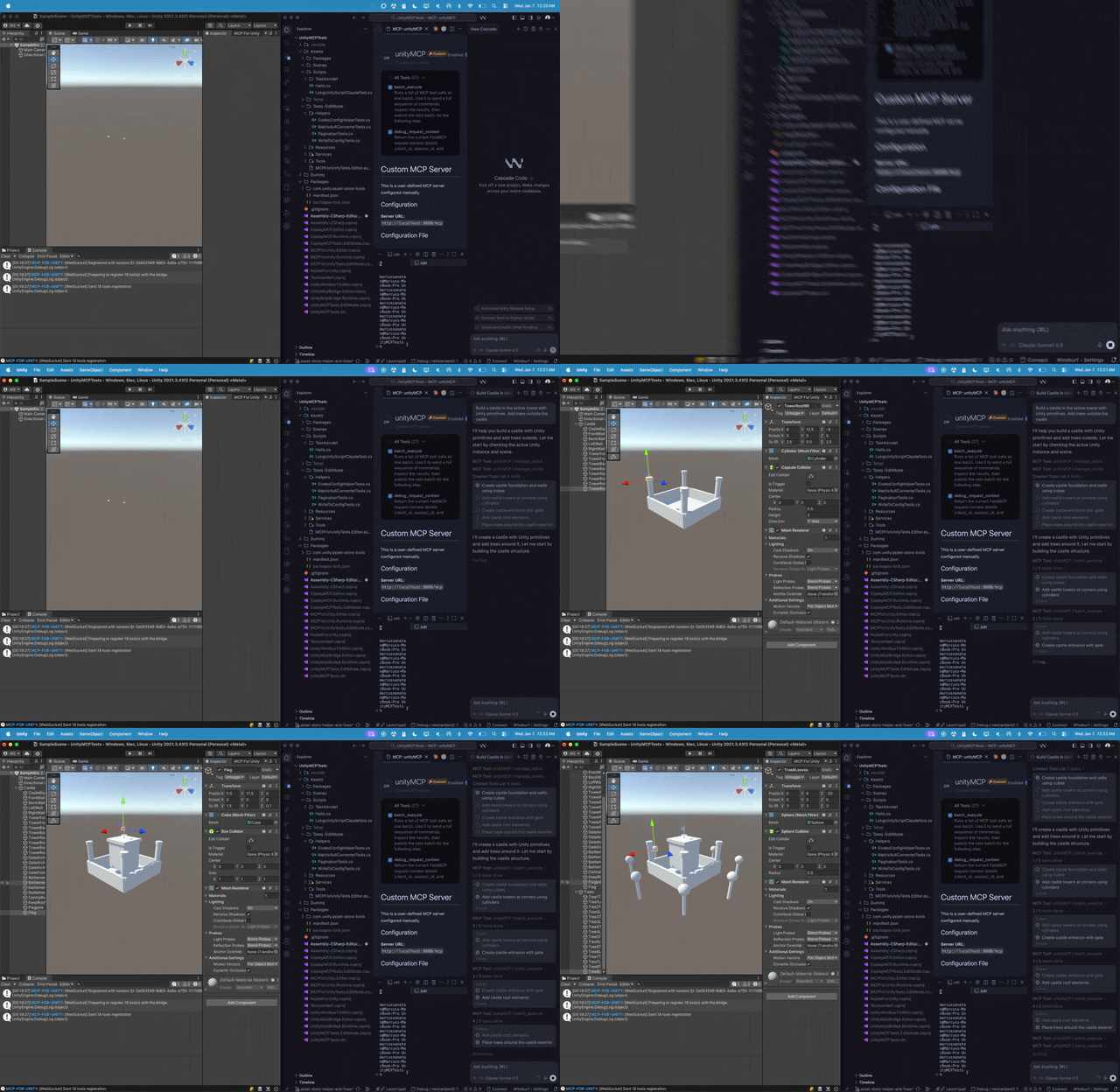
What you get
- 40+ Unity Editor tools exposed over MCP —
manage_scene,manage_script,manage_gameobject,manage_material,manage_physics,run_tests, and more. - 25+ read-only resources for state introspection —
editor_state,gameobject_components,project_info,unity_instances, etc. - Auto-configuration for popular MCP clients — Claude Desktop, Claude Code, Cursor, VS Code, Windsurf, Cline, Codex, Qwen, Gemini CLI, Copilot CLI, OpenClaw.
- Multi-instance support — drive several Unity Editors from a single session via
set_active_instance. - Two transports — HTTP (multi-agent, default) and stdio (single-agent legacy).
When you'd use it
- Prototype scenes and gameplay with natural language ("build a player controller with WASD and a double-jump").
- Generate and refactor C# scripts with full project context and validation.
- Automate repetitive editor tasks — bulk asset processing, scene validation, regression testing.
- Build custom AI-driven editor tools on top of the MCP protocol.
Next steps
- Install — Add the Unity package, install the Python server, and connect your first MCP client.
- Your First Prompt — End-to-end "build me a red cube" tutorial.
- Choosing an MCP Client — A capability matrix across all supported clients.
- Setup Wizard (coming soon) — Walk through the first-run experience.
MIT licensed. Sponsored and maintained by Aura. Not affiliated with Unity Technologies.